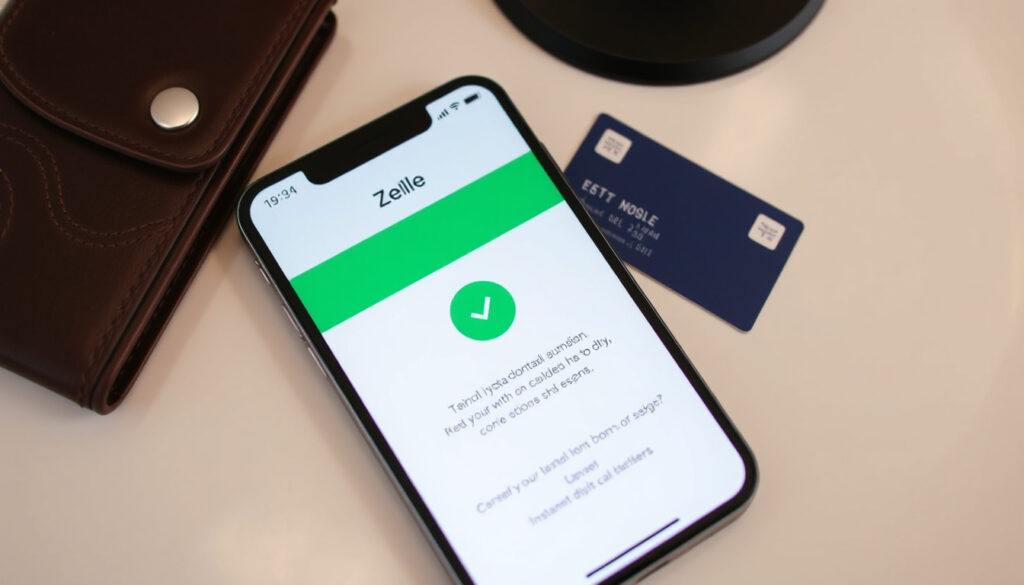
How Does Zelle Work? Complete Guide to Sending & Receiving
You’ve probably seen the Zelle logo tucked inside your banking app—a simple option to send money to someone in minutes, but behind that ease lies a system that treats every payment like handing over cash: once it’s gone, it’s gone. This guide walks through exactly how Zelle works, where it excels, and where the risks hide, so you can use it with open eyes.
Launched: 2017 ·
Users: Over 100 million at participating banks ·
Transfer speed: Usually within minutes ·
Fee to send or receive: $0 (no charge from Zelle) ·
Participating financial institutions: 2,000+ ·
Availability: Only within the United States
Quick snapshot
- Zelle is owned by Early Warning Services (Wise (financial comparison service))
- Transfers are typically completed within minutes (NerdWallet (personal finance))
- No fees charged by Zelle (Bankrate (consumer finance guide))
- Only works between US bank accounts (Security.org (consumer safety research))
- Exact number of active daily users
- Future plans for international expansion
- Exact fraud loss amounts (not publicly reported by Zelle)
- Launched in 2017 (NerdWallet); no announced timeline for international expansion
- Continued integration into more bank apps (NerdWallet)
- Potential regulatory scrutiny over fraud liability (Security.org)
Six key facts about Zelle at a glance, from launch date to transfer speed and fee structure.
| Attribute | Value |
|---|---|
| Launched | 2017 |
| Number of users | Over 100 million at participating institutions |
| Transfer speed | Usually within minutes |
| Fee (from Zelle) | $0 |
| Geographic availability | United States only |
| Participating institutions | 2,000+ |
The numbers tell one story: Zelle is free, fast, and U.S.-only. But the real trade-off lies in what happens when a payment goes wrong.
What is the downside of using Zelle?
Irreversible transactions
- Once you send money via Zelle, the transaction cannot be canceled or reversed if the recipient is already enrolled. Bankrate (consumer finance guide) confirms that “payments cannot be canceled or reversed once completed.”
This means a mistaken payment or a payment to a scammer is gone. Wells Fargo (major US bank) states that payments cannot be canceled unless the recipient has not yet enrolled.
Zelle’s irreversibility means a typo in an email or phone number can cost you the full amount—with no bank guarantee to get it back.
Limited fraud protection compared to credit cards
- Zelle does not offer purchase protection, unlike credit cards. Security.org (consumer safety research) notes that Zelle has no buyer protection.
If you send money for goods that never arrive, your bank may not reimburse you because you authorized the payment. The Consumer Financial Protection Bureau has received thousands of complaints about Zelle fraud, but the service’s terms of use treat payments like cash.
Scams and social engineering risks
- Scammers often impersonate bank representatives or government agencies and pressure victims into sending Zelle payments. Bankrate highlights that scammers target Zelle by impersonating banks or agencies.
The Federal Trade Commission has warned about these impersonation scams. Zelle itself advises you to “send money only to people you know and trust” (NerdWallet).
No purchase protection for goods or services
- Zelle’s terms explicitly state it is for sending money to people you know, not for buying from strangers. Chase Bank (financial institution) describes Zelle as “for people and businesses you know and trust.”
If you use Zelle to pay a seller on Craigslist or Facebook Marketplace, you have no recourse if the item never arrives. This is a major difference from services like PayPal Goods and Services, which offer dispute resolution.
Does Zelle go through your bank account?
Direct integration with bank accounts
- Zelle is embedded in the mobile apps of over 2,000 banks and credit unions. NerdWallet explains that Zelle connects directly to US bank accounts without a separate wallet.
When you send money, it moves directly from your bank account to the recipient’s bank account. There is no holding balance inside Zelle. This is why transfers are so fast—often within minutes according to NerdWallet.
How Zelle transfers funds between financial institutions
- Zelle uses the existing ACH network but accelerates settlement through a proprietary system. The funds are typically available in minutes rather than 1-2 business days. NerdWallet confirms transfers usually arrive within minutes.
This speed is possible because Early Warning Services, the company behind Zelle, is co-owned by major banks Wise (international payment service) and can clear transactions quickly between member institutions.
Enrolling with your bank’s mobile app or online banking
- To use Zelle, you typically enroll through your bank’s existing app. You provide a US mobile number or email address that Zelle links to your deposit account. Wells Fargo states that Zelle requires US mobile number or email for enrollment.
Once enrolled, you can send and receive money by selecting Zelle from your bank’s menu. No separate Zelle account or login is required—it works through your bank’s authentication system.
What this means: Zelle is basically a fast lane on the highway of your own bank account. There’s no middle wallet, no pre-funding—just a direct transfer from your checking to theirs.
Does Zelle work internationally?
Zelle is only available in the United States
- Zelle operates only within the US for domestic transfers, as confirmed by Wise (international payment service).
Both the sender and recipient must have a US bank account and a US mobile number or email address linked to Zelle. If you try to send money to a bank account outside the US, Zelle will not process the transaction.
Sender and receiver must have US bank accounts
- Even if you are a US citizen traveling abroad, you cannot send Zelle payments to someone in another country. The system is geo-restricted to the US financial system. Wise notes this limitation.
If you are temporarily outside the US and have a US bank account with Zelle access, you may still initiate transfers to other US accounts. But the recipient must also have a US account.
Alternatives for international transfers
- For sending money abroad, services like Wise, PayPal, and Western Union support cross-border payments. Wise is a direct alternative for international transfers with transparent fees.
PayPal also allows international transfers but charges currency conversion fees. If you need to send money to someone outside the US, these are better options than Zelle.
The trade-off: Zelle’s US-only restriction is a deliberate design choice to keep transfers instant and free—international money movement would introduce fees and slower settlement.
How do you receive money from Zelle?
Enrolling your email or phone number
- To receive money, you must enroll with Zelle by linking a US mobile number or email address to your bank account. Wells Fargo (banking guidance) explains that enrollment requires US mobile number or email.
If your bank already offers Zelle in its app, you can enroll directly there. If not, you can download the standalone Zelle app (though it still requires a supported bank account).
Automatic deposit to your linked bank account
- Money sent to you via Zelle is deposited directly into the bank account you linked during enrollment. There is no need to accept or claim the payment—it appears automatically, usually within minutes. NerdWallet confirms this.
The sender sees a confirmation that the money was delivered. If the recipient is not enrolled, the sender receives a notification that the payment is pending until enrollment is completed.
What to do if you don’t have Zelle through your bank
- If your bank does not offer Zelle, you can use the standalone Zelle app by linking a Visa or Mastercard debit card issued by a supported bank. NerdWallet details this process.
However, the standalone app has lower sending limits compared to bank-integrated Zelle. The easiest way is to check if your bank already supports Zelle (most major US banks do).
Why this matters: Receiving money through Zelle is almost passive—once enrolled, money appears without any action. This convenience is great for trusted exchanges but also means you cannot block an incoming payment you didn’t expect.
How much does Zelle charge to send $1000?
Zelle does not charge fees to send or receive money
- Zelle itself charges no fees for sending or receiving money. This is confirmed by PNC Bank and major banks like Wells Fargo, Chase Bank, and Morgan Stanley.
So sending $1000 via Zelle costs $0 in standard transfers. However, some banks may charge a fee for instant transfers if they offer a “fast” option, but Zelle itself is always free.
Banks may impose their own fees (rare)
- While most banks do not charge for Zelle, a few may have fees for certain account types or for using instant transfer features. PNC Bank notes that overdraft fees could apply if a Zelle payment causes a negative balance.
It’s wise to check your bank’s fee schedule. In practice, Zelle is one of the cheapest ways to send money domestically.
Comparison with other services: PayPal, Venmo, Cash App
- PayPal and Venmo charge around 1.5% for instant transfers to a bank account, and they charge a fee if you use a credit card (typically 2.9% + $0.30). Cash App also charges for instant transfers and card payments. Zelle avoids all these fees. Security.org provides a comparison of Zelle’s fee structure against credit card protections.
The trade-off is that PayPal offers buyer protection, while Zelle does not. So Zelle’s $0 fee comes at the cost of zero recourse.
The pattern: Zelle wins on price every time, but only if you never need to reverse a payment. For risk-free transactions between friends, it’s unbeatable.
Comparing Zelle to other peer-to-peer payment apps reveals a consistent pattern: Zelle is free and fast but lacks protections that competitors offer.
| Feature | Zelle | PayPal | Venmo | Cash App |
|---|---|---|---|---|
| Fee to send $1000 | $0 | $0 from bank; ~$29.30 with credit card | $0 from bank; ~$31.80 with credit card | $0 from bank; ~$29.50 with credit card |
| Transfer speed to bank | Minutes | Instant (with fee) or 1-3 days free | Instant (with fee) or 1-3 days free | Instant (with fee) or 1-3 days free |
| Purchase protection | None | Yes (Goods and Services) | Limited | None |
| International transfers | No | Yes (with fees) | Limited to US | Limited to US and UK |
| Direct bank integration | Yes (via thousands of bank apps) | No (separate account) | No (separate account) | No (separate account) |
Every fee comparison shows Zelle is cheapest—but only if you value zero cost over zero protection. For large purchases, paying a small transaction fee for dispute rights may be cheaper in the long run.
Upsides
- Free to send and receive (Wise)
- Money moves in minutes (NerdWallet)
- No separate app needed if your bank supports it (Chase)
- Widely available through over 2,000 institutions (Wise)
Downsides
- Payments cannot be reversed (Bankrate)
- No purchase protection (Security.org)
- Only works within the US (Wise)
- Limits vary by bank (Bankrate)
How to use Zelle: Step-by-step guide
- Open your bank’s mobile app or online banking. Look for the Zelle option in the menu. Most major banks like Wells Fargo and Chase have integrated Zelle directly.
- Enroll with your US mobile number or email. This links your bank account to Zelle. Wells Fargo confirms this requirement.
- Select a contact or enter their email/phone. The recipient must have a US bank account and be enrolled with Zelle.
- Enter the amount and confirm. Review the details—once confirmed, the transfer is irreversible.
- Wait for confirmation. Both you and the recipient should receive a notification within minutes. NerdWallet notes that money usually arrives within minutes.
If you need to locate your account number to set up Zelle, our guide on finding your account number on a check may help. And if you’re unsure about the phone number tied to your account, try our phone number lookup tool.
The pattern: the simplicity of Zelle is its greatest strength—and its greatest risk, because there’s no friction to make you pause before sending.
What we know and what remains unclear
Confirmed facts
- Zelle is owned by Early Warning Services (Wise)
- Transfers are typically completed within minutes (NerdWallet)
- No fees charged by Zelle (Wise)
- Only works between US bank accounts (Wise)
- Payments are irreversible once accepted (Bankrate)
What’s unclear
- Exact number of active daily users
- Future plans for international expansion
- Exact fraud loss amounts (not publicly reported by Zelle)
- How Zelle generates revenue (business model)
- Whether Zelle will ever offer any form of buyer protection
“Zelle is a fast, safe, and easy way to send and receive money with people you trust.”
— Zelle official FAQ
“You can send money to almost anyone you know and trust who has a US bank account.”
— Wells Fargo education page
“Zelle is for people and businesses you know and trust.”
— Chase Bank
Zelle has become the fastest and most affordable way to move money between US bank accounts. But its design—zero fees, instant settlement, no reversals—is a double-edged sword. For splitting rent with a roommate or paying a friend, it’s ideal. For buying a used couch from a stranger, it’s a gamble. The clear recommendation: use Zelle only with people you know personally, and treat every payment like cash. For anyone making online purchases from unknown sellers, the choice is simple—use a credit card or PayPal with purchase protection, or risk losing your money with no way to get it back.
Frequently asked questions
How do I cancel a Zelle payment?
Once the recipient has enrolled and the payment is accepted, you cannot cancel it. If the recipient has not yet enrolled, you may be able to cancel from your bank’s Zelle menu, according to Wells Fargo.
What is the daily sending limit for Zelle?
Limits vary by bank and account type. For example, some banks set daily limits between $500 and $5,000. Check your bank’s policy. Bankrate notes that limits vary by institution.
Is Zelle safe to use?
Zelle is safe for sending money to people you trust because the transfers are fast and encrypted. However, it lacks buyer protection and payments cannot be reversed, so never use it to pay strangers. Security.org emphasizes the lack of purchase protection.
Can I use Zelle with a credit card?
No, Zelle only works with US bank accounts and debit cards. You cannot send money from a credit card through Zelle. This is why Zelle is fee-free, as noted by PNC Bank.
How do I enroll in Zelle?
Open your bank’s app, find Zelle in the menu, and follow the prompts to link your US mobile number or email. If your bank does not offer Zelle, you can download the standalone Zelle app and link a supported debit card. Wells Fargo provides enrollment details.
What banks are compatible with Zelle?
Over 2,000 banks and credit unions in the US offer Zelle, including Bank of America, Chase, Wells Fargo, PNC, and Morgan Stanley. Check your bank’s mobile app for the Zelle option. Chase and Wells Fargo are examples.
Can I send money to someone who doesn’t have Zelle?
Yes, if the recipient is not enrolled, they will receive a notification to enroll. The payment will be held until they enroll. If they never enroll, the payment is canceled after 14 days. NerdWallet explains the process.
More related posts
 Youtube TV Disney Dispute – Blackout Timeline Resolution
 Baby Boy Names 2024: Popular, Unique & Irish Names
 Lakers vs Orlando Magic Match Player Stats & Box Scores
 Off the Shoulder Tops Guide: Body Types & 2026 Trends
 Breakfast Tacos Near Me: Best Dublin & Ireland Spots
 How Old Is Beyoncé? Real Name, Age, Kids, Net Worth
 White New Balance Shoes: Style, Etiquette & Foot Health
 PlayStation Plus Free Games: How to Claim & Keep Games